FileFlows Flux
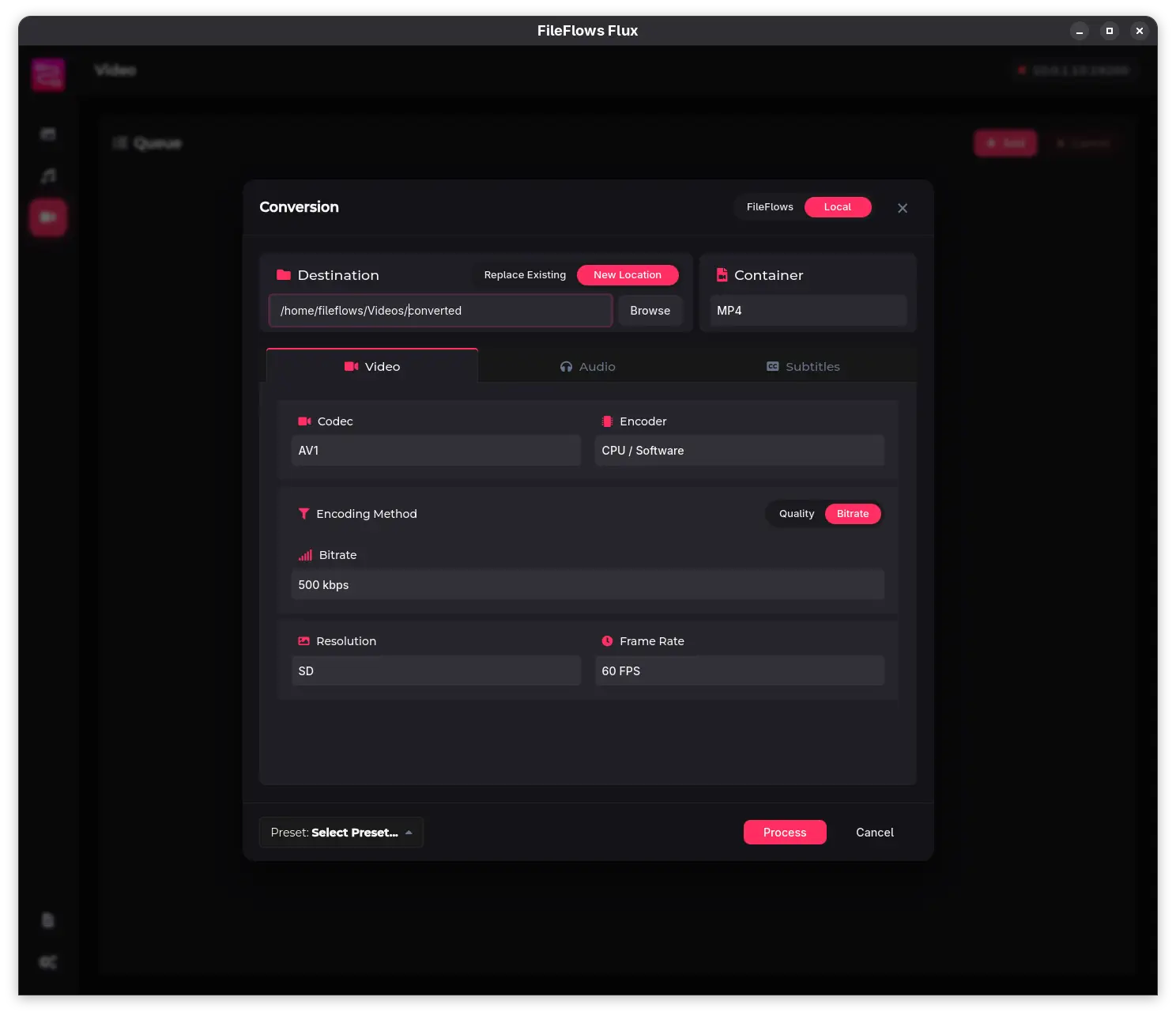
FileFlows Flux is a lightweight desktop companion application for FileFlows. It lets you process individual files or batches of files on demand, without having to set up a monitored library. You can process them locally on your machine, or hand them off to a FileFlows Server for processing; the finished file is then automatically downloaded back to your machine.
Why use Flux?
Flux is for when you just want to convert a handful of files right now. You pick the files, choose the settings, and queue them. No monitored folders, no libraries, no setup.
Flux exists for those scenarios:
- Ad-hoc conversions — Select files, choose output settings, and queue them for processing. No library setup required.
- Local processing — Use the built-in conversion formulas directly on your desktop, without network round-trips.
- Remote offloading — Send files to an existing FileFlows Server to be processed with a formula; the finished file is then automatically downloaded back to your machine.
- Drag-and-drop simplicity — Drop files onto the app and pick your conversion settings in a dialog.
Two processing modes
Every file you add to Flux can be processed in one of two ways:
| Mode | How it works |
|---|---|
| Local | Flux processes the file directly on your machine using built-in processing pipelines. Free to use. |
| FileFlows | Flux uploads the file to your FileFlows Server, the server processes it using its configured formulas, and Flux downloads the result. Requires a licensed FileFlows Server with Flux enabled. |
You can switch between modes in the conversion dialog for each file or batch.
Supported media types
Flux ships with built-in conversion formulas for the most common media types:
- Video — Transcode, resize, crop black bars, manage audio and subtitle tracks, and generate animated GIFs.
- Audio — Convert between MP3, AAC, FLAC, and Opus; adjust bitrate, sample rate, and channel layout; apply loudness normalization; rename files using metadata patterns.
- Images — Convert between JPEG, PNG, WebP, ICO, and ICNS; resize with multiple fit modes; adjust quality.